Questlog
I kept losing track of what I was working on. With several Claude Code sessions open, I couldn’t remember which one was doing what.
- Windows
- Linux
- macOS
- VS Code 1.85 or later
This plugin scratches an itch I’ve had for months.
If you ever find yourself losing track of your session’s progress, or coming back in the morning having forgotten where you’d left off the night before, then this might be useful to you.
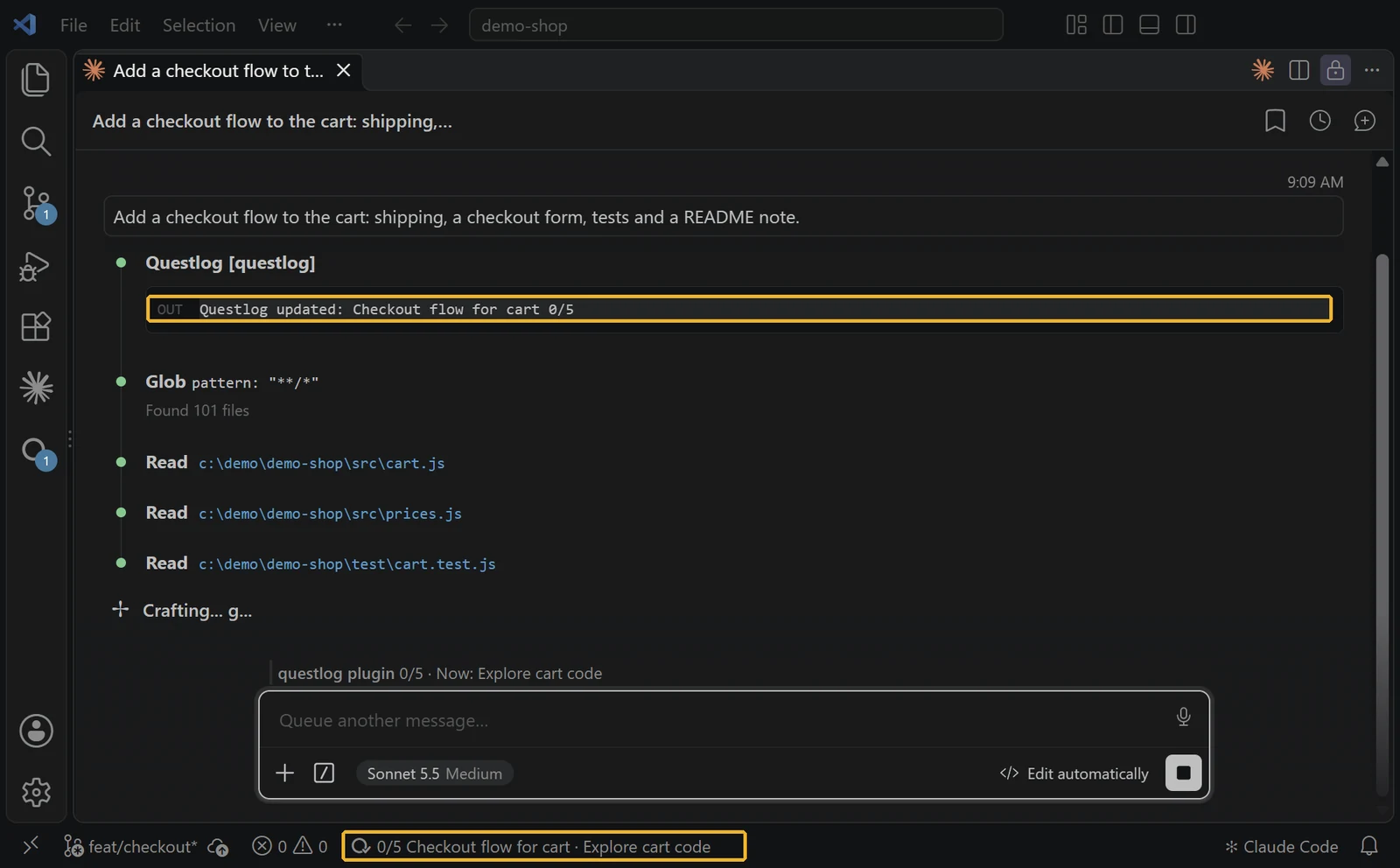
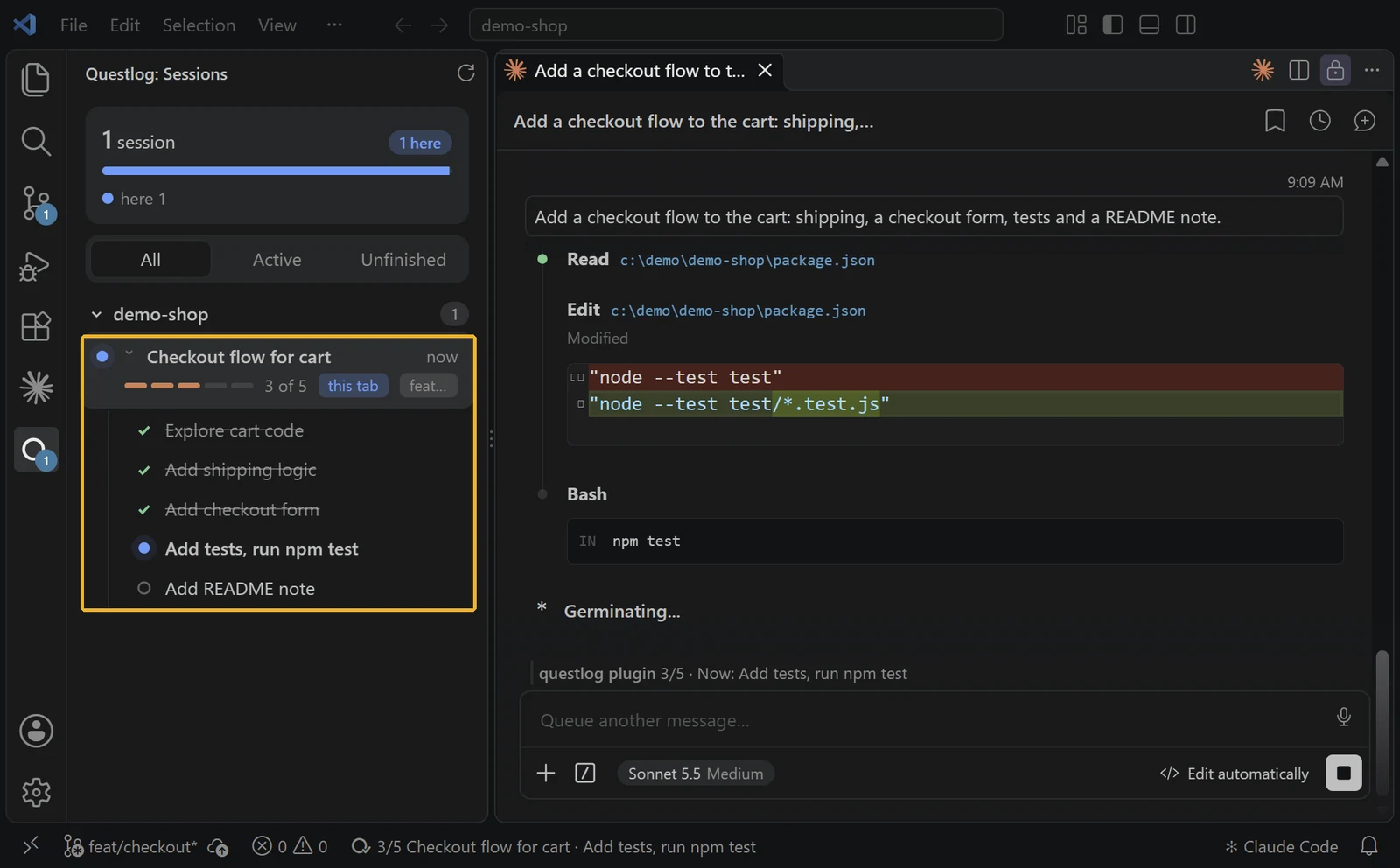
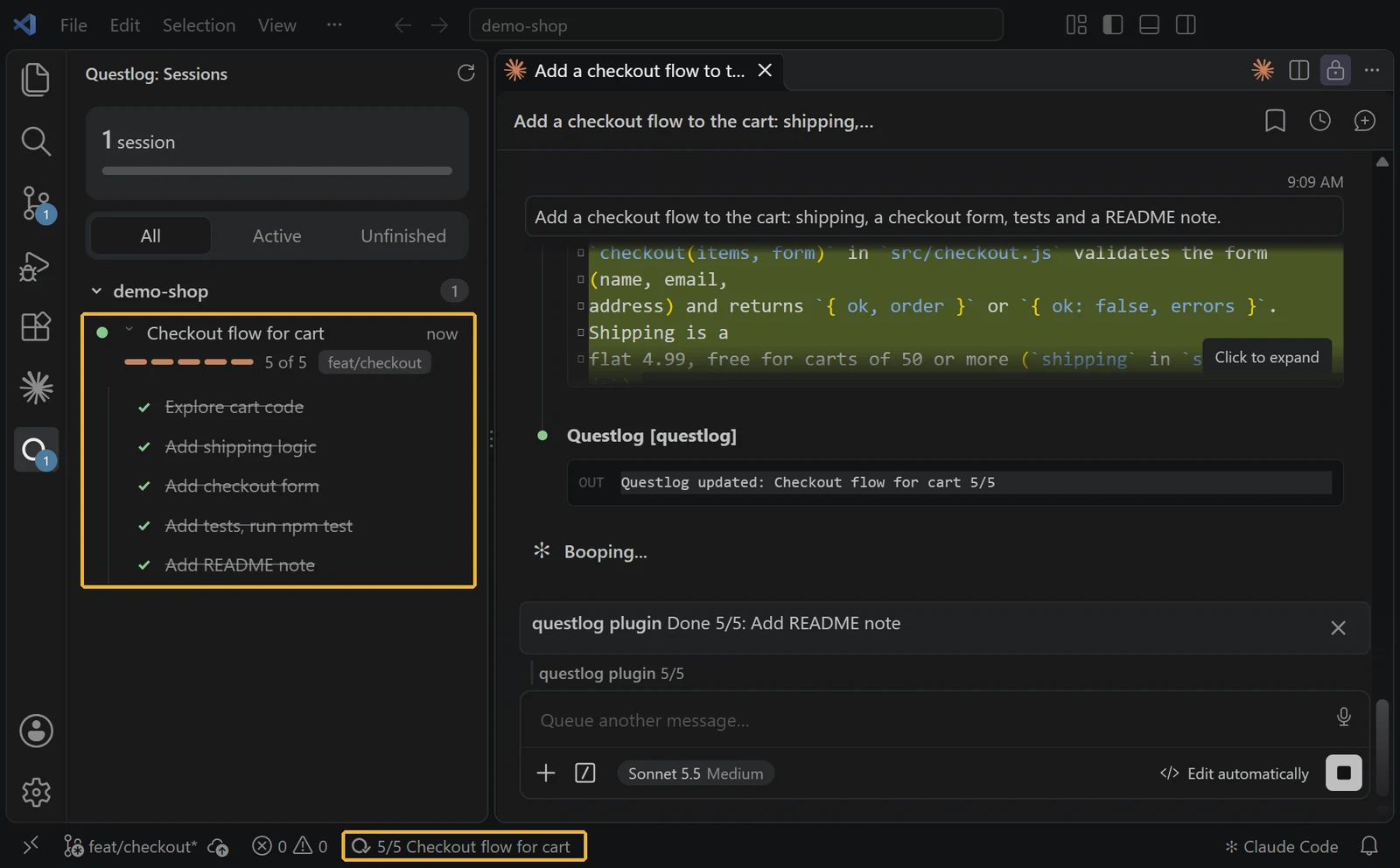
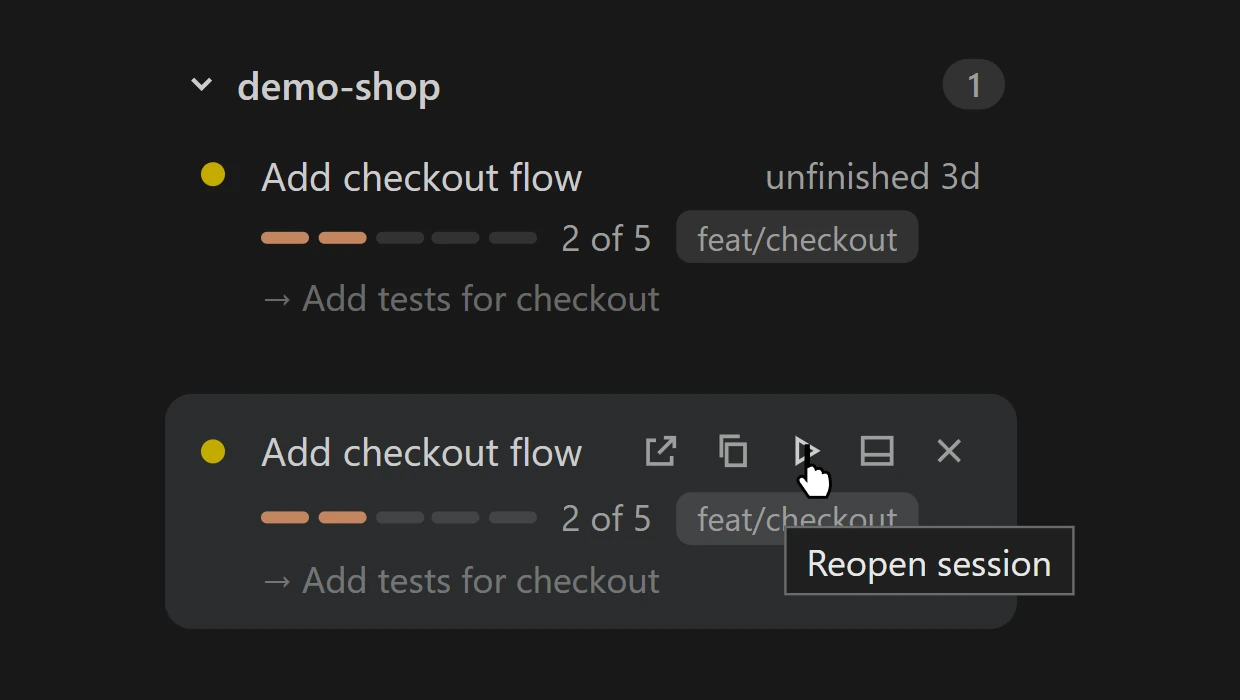
Hover for the whole plan. Hover the Questlog item in the status bar to see every step, the repo and branch, the folder, and the session ID with a Copy link.
#What it is
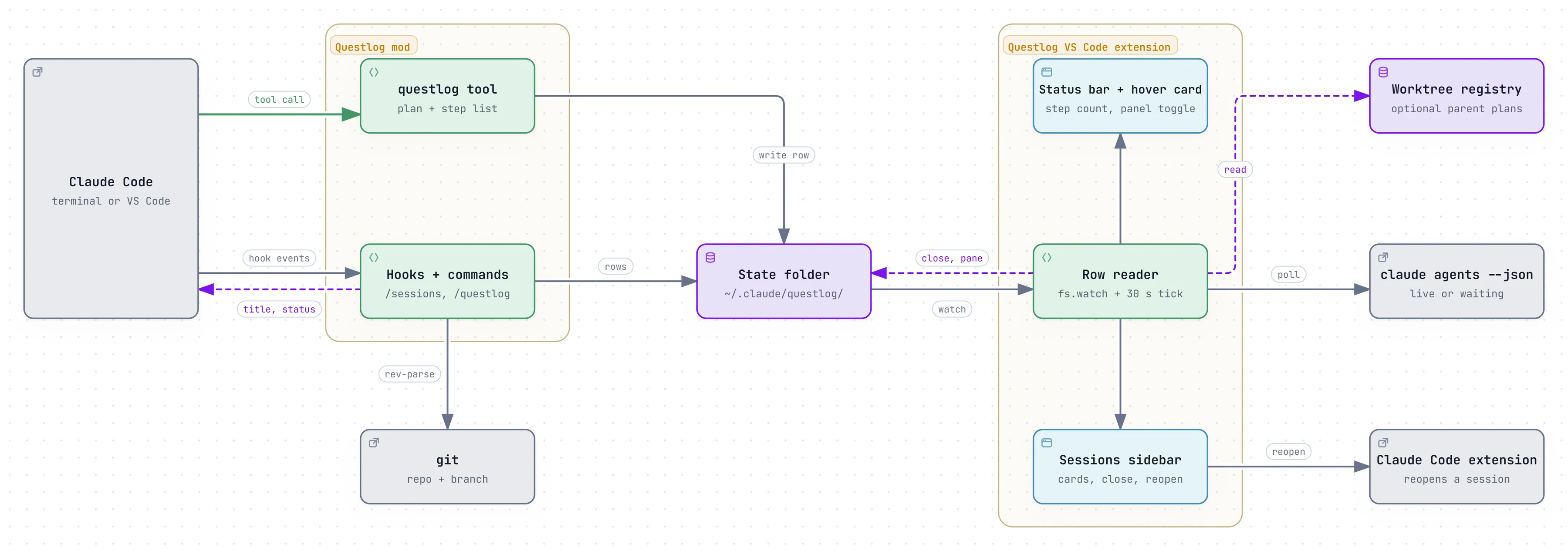
Questlog is two parts. The mod (a Claude Code plugin) gives Claude a questlog tool, sets the tab title, shows a status line, toasts each finished step, and adds /sessions and /questlog. The VS Code extension adds the sidebar and the status bar item. The mod works without the extension; the extension shows nothing without the mod.
#Install
claude plugin marketplace add m4cd4r4/questlog
claude plugin install questlog@questlogcode --install-extension macdara.questlogVS Code Marketplace · Open VSX (VSCodium, Cursor)
#What you’ll see first
Start a new Claude Code session and give it a task with 3 or more steps, such as “Add a checkout flow with tests and a README note”. A card shows up in the Questlog sidebar with the plan and ticks off each step. A quick question won’t make a card.
#Why not Claude Code’s own session list?
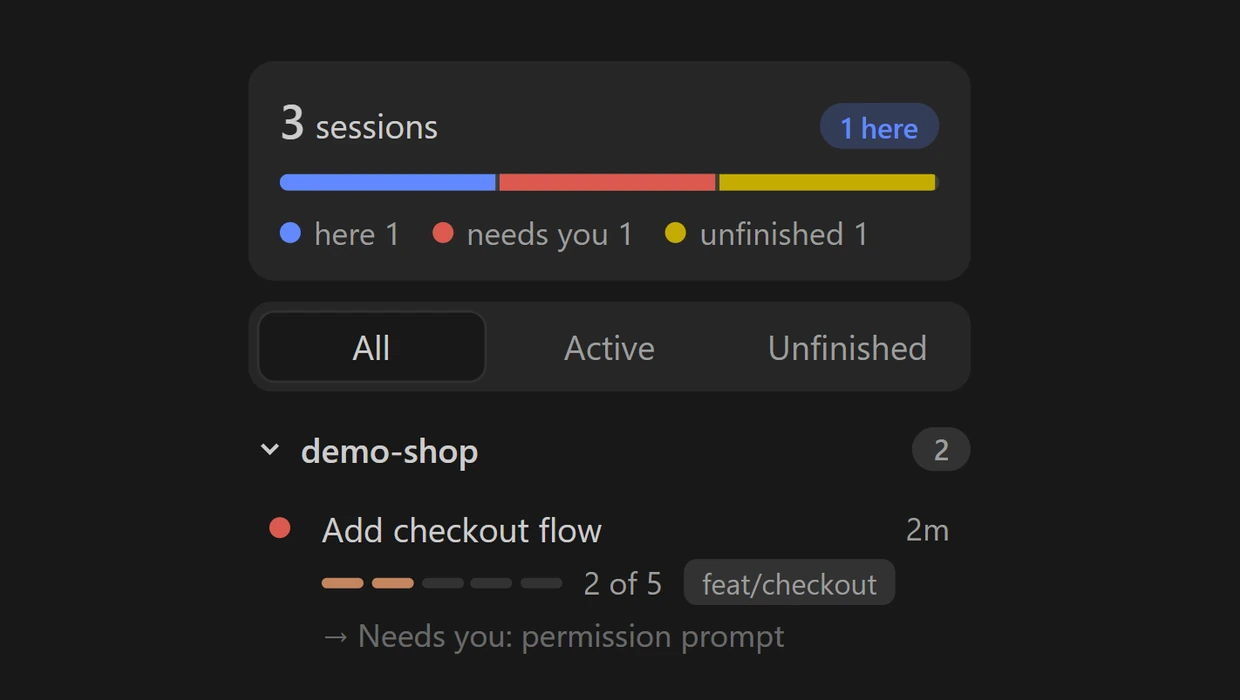
Claude Code can already list your running sessions and tell you if one is waiting (claude agents). Questlog adds what each one is doing: its plan, the step it’s on, and how far it has got. A session you leave unfinished stays in the sidebar for up to 7 days, with a play button to open it again.
#How it’s built
#What it reads and sends
Reads and writes ~/.claude/questlog/. Runs git in the session’s directory to find the repo and branch. The extension also runs claude agents --json and reads the worktree registry if one exists. Neither part makes a network request itself.